Hooks
Problem firstProduct revealHow it works
Change the opening angle while keeping the source product and campaign direction consistent.
Superbloo reads the page, gathers usable product details and images, then turns them into ready-to-test ad variations.
Powered by the world's best AI models
How it works
You bring the link. Superbloo does the reading, the gathering and the making — no brief, no asset hunt, no editing suite.
Start with a public storefront, product listing, or landing page that exposes usable product content.
Superbloo gathers available product details and page copy to create working campaign context.
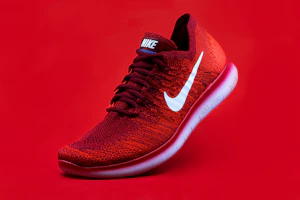
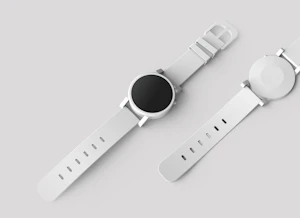
Reference imagery is pulled automatically. Review the picks or let it run hands-free.
Use the imported context to generate UGC reels, product-led cuts, and captioned variations.
Input
That's it. That's the whole brief.
Extracted by AI
AutoPhone (3)
Nothing · Smartphones
“Come to the bright side. A new kind of smartphone, designed to bring back a little joy.”

Output
Queue the formats you need and review each result.
Sample gallery
Every reel below started as nothing more than the product URL on its tile. No briefs, no uploads — pasted, scraped, rendered.
Creative variations
Use the extracted product context as a starting point. Choose the images, shape the hook, and build variations for the placements you actually need.
Change the opening angle while keeping the source product and campaign direction consistent.
Review extracted images, remove weak references, or mix in product shots from your own library.
Use the same product information to explore different visual structures and pacing.
Adapt the composition and captions for vertical, square, and landscape placements.
The second path
Already invested in a product shoot or a brand kit? Skip the scrape. Upload what you have and Superbloo builds the same launch-ready ads around your own imagery.
Drop your product shots
Images, packshots, brand kit — anything you already have.
Pick a style or template
UGC reel, product hero, ad cut — or describe your own direction.
Generate
Your assets become finished, on-brand ads across every format.
Drop product shots, packshots or your brand kit
PNG, JPG, MP4 or ZIP · up to 50 files
Browse filesFAQ
Use a public product page that exposes product copy and images, such as a storefront listing or product landing page. Pages blocked by a login, bot protection, or restricted access may not be importable.
Yes. Swap creators, rewrite hooks, change formats, and generate new variations. The first output is a starting point, never a locked file.
No. You can review and deselect any auto-grabbed image before generating, or skip the URL flow entirely and upload your own product shots and brand kit instead.
Import and generation time depends on the source page, selected model, format, and queue. You can review the extracted context before generating the variations you need.
Yes. As between you and Superbloo, you retain all rights to the ads you create. Superbloo claims no ownership and places no restriction on personal or commercial use, including paid campaigns. You remain responsible for having the necessary rights to your source assets and following applicable laws and third-party terms.
Paste the link, review the imported product context, and turn it into editable ad concepts and variations.
